 JustRounds
Features
Everything in JustRounds, on your phone and your wrist.
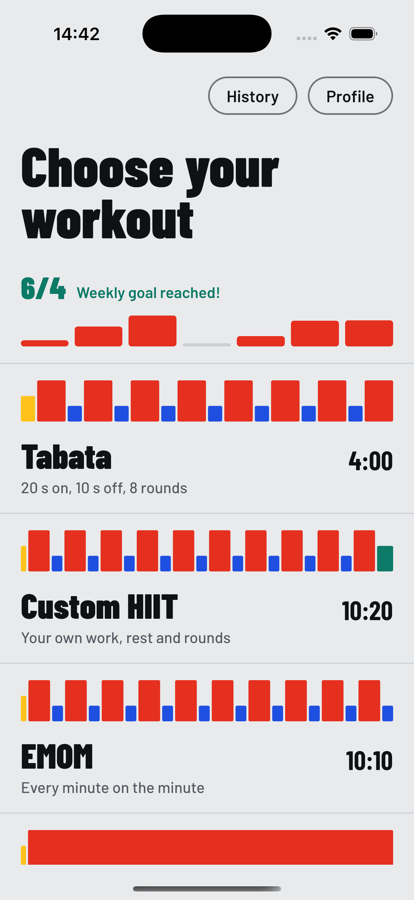
Every workout has a shape.
Bar width is time and bar height is effort, so each regime is recognisable at a glance.
- Tabata, EMOM, AMRAP, ladder, pyramid, Norwegian 4×4
- 7-minute workout, circuit, 30/30, custom HIIT
- Each one editable
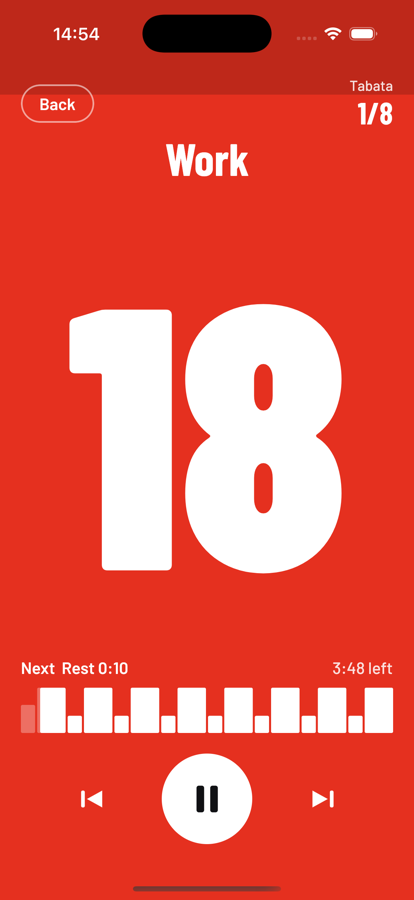
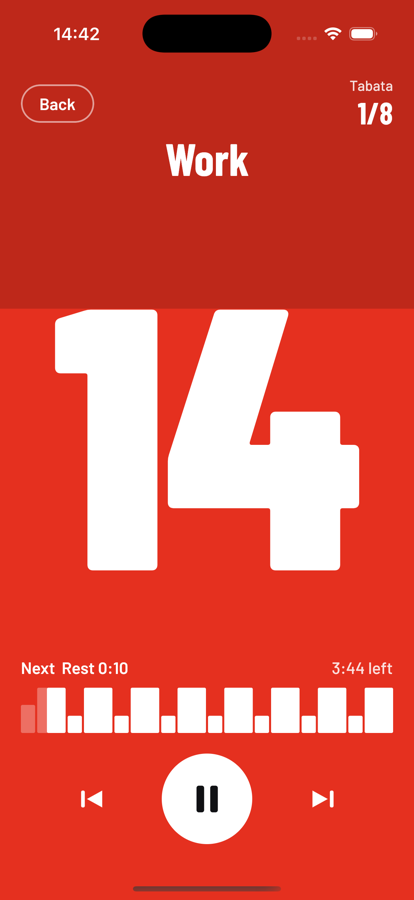
The screen is the signal.
Yellow to get ready, red to work, blue to rest, teal to cool down. The bright area drains from the top like a shot clock, and the last three seconds beat once each.
- Next-up preview and total time left
- Skip forward or back; skipped time is not counted
- Sound cues are rendered into one audio track so they stay on schedule with the screen off
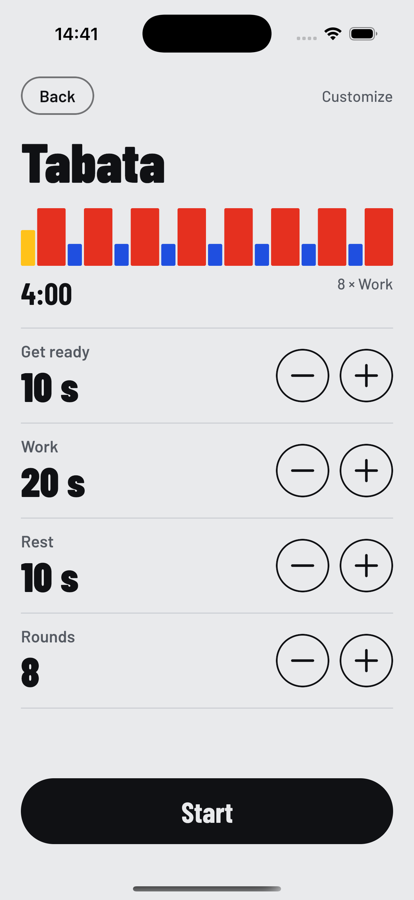
Your numbers, remembered.
Change work, rest, rounds, get-ready and cool-down and watch the shape update.
- Live preview of the workout
- Your last numbers are remembered for each regime
Know what you actually did.
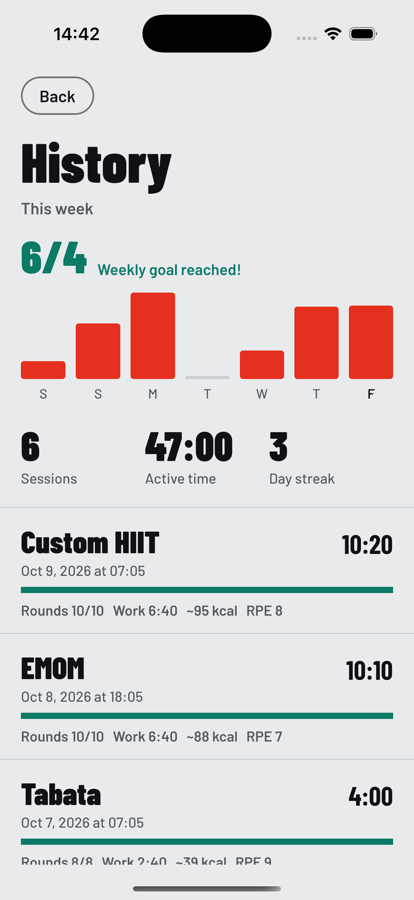
Each session records real active time against pauses, skips, work and rest time, and rounds you finished in one go. Rate how hard it was when you finish.
- Seven-day chart, weekly goal and streak
- Calories are an on-device estimate, labeled as one
A nudge when you open the app.
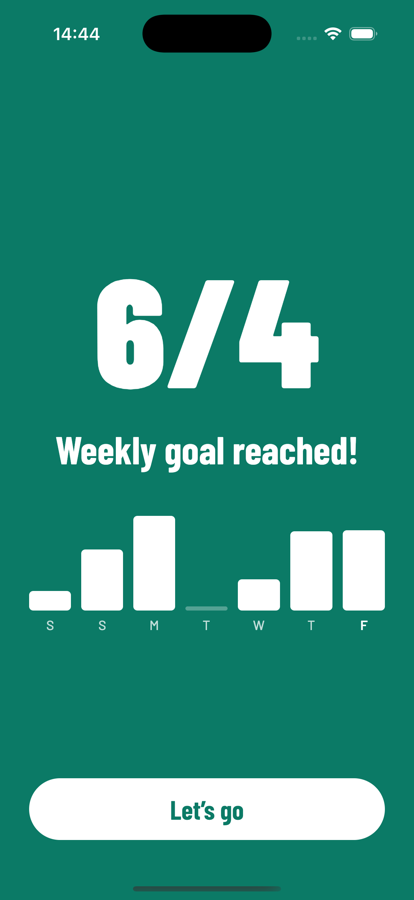
Set a weekly session goal. Open the app and you get a congratulation if you reached it, or a reminder of how many sessions are left.
- Shown once per launch, dismisses itself
- No notifications to allow
Feel the intervals.
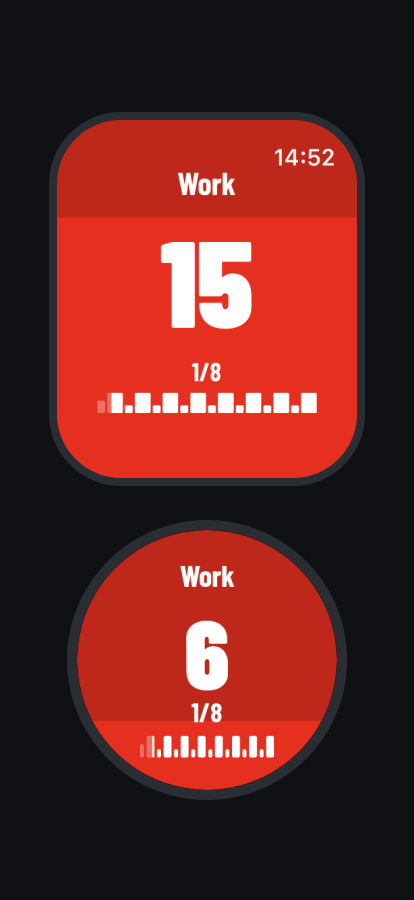
The Apple Watch and Wear OS apps run the same engine and can run a whole workout without your phone. Each cue has its own pattern.
- A tick for the countdown, a double tap for go, one long buzz for ease off
- Round counter and the workout shape on your wrist
Light, dark, your language.
Follows your system appearance, or choose. Fourteen languages, including right-to-left layout for Arabic; translations are being reviewed by native speakers.
- Light, dark or system
- English, Spanish, French, German, Portuguese, Italian, Hindi, Arabic, Chinese, Japanese, Korean, Indonesian, Russian, Turkish